Email Setup: How to Change Your Password
Change Your Mailbox Password
Your mailbox password is the password you use to sign in to webmail and email apps like Apple Mail, Outlook, Thunderbird, or the mail app on your phone.
If you use this mailbox on other devices, update the saved password on each device after you change it. Otherwise, those apps may stop sending or receiving mail until the new password is entered.
Password Requirements
Your password must include:
- At least 8 characters
- At least one uppercase letter
- At least one lowercase letter
- At least one number
- At least one special character such as
, . / ! @ # $ % ^ & *
Change Your Mailbox Password from the User Panel
You can also change your mailbox password from the User Panel.
- Go to the User Panel.
- Sign in using your full email address and current mailbox password.
- Click the Password icon.
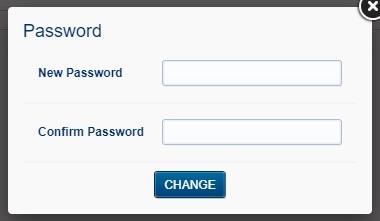
- Enter your new password.
- Confirm the new password.
- Click Change.